Need some assistance with a possible IT question or error? Start here with the Freshdesk IT Knowledge Base!
To access the IT Knowledge Base, you must first be signed into your Freshdesk account.
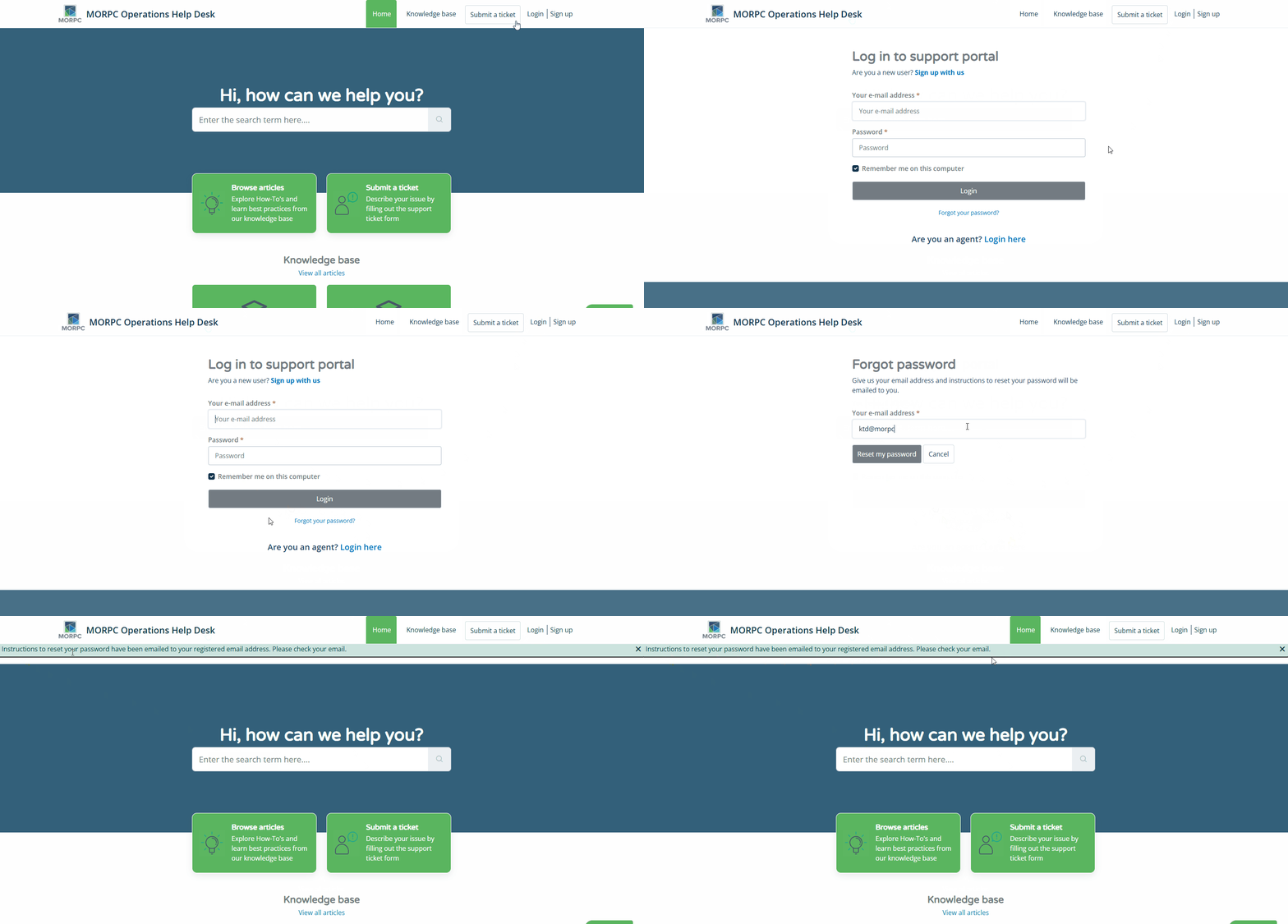
Can't quite remember your password to the portal? Not an issue! Just follow the below steps to reset your password (gif walkthrough included at bottom).
- Click Login in the upper right corner of the Freshdesk website.
- Click Forgot your password?
- Enter your MORPC email address and press Reset my password.
- Check your inbox for the reset link and follow the instruction prompts.
Bonus Tip: Have difficulty recalling passwords because there are so many to track? Have no fear! Using a Password Manager can help save the day! Once you are logged in, check out this KB article on How to Use Password Managers.
Was this article helpful?
That’s Great!
Thank you for your feedback
Sorry! We couldn't be helpful
Thank you for your feedback
Feedback sent
We appreciate your effort and will try to fix the article